Equipment

How to create an equipment entry:
After accessing the Sequor Equipment Management app, the user will enter the Grid / List mode, which lists all equipment records, giving the user the possibility to create a new entry or edit an existing one. To Create, click on the  button and then fill in the fields:
How to create an equipment entry:
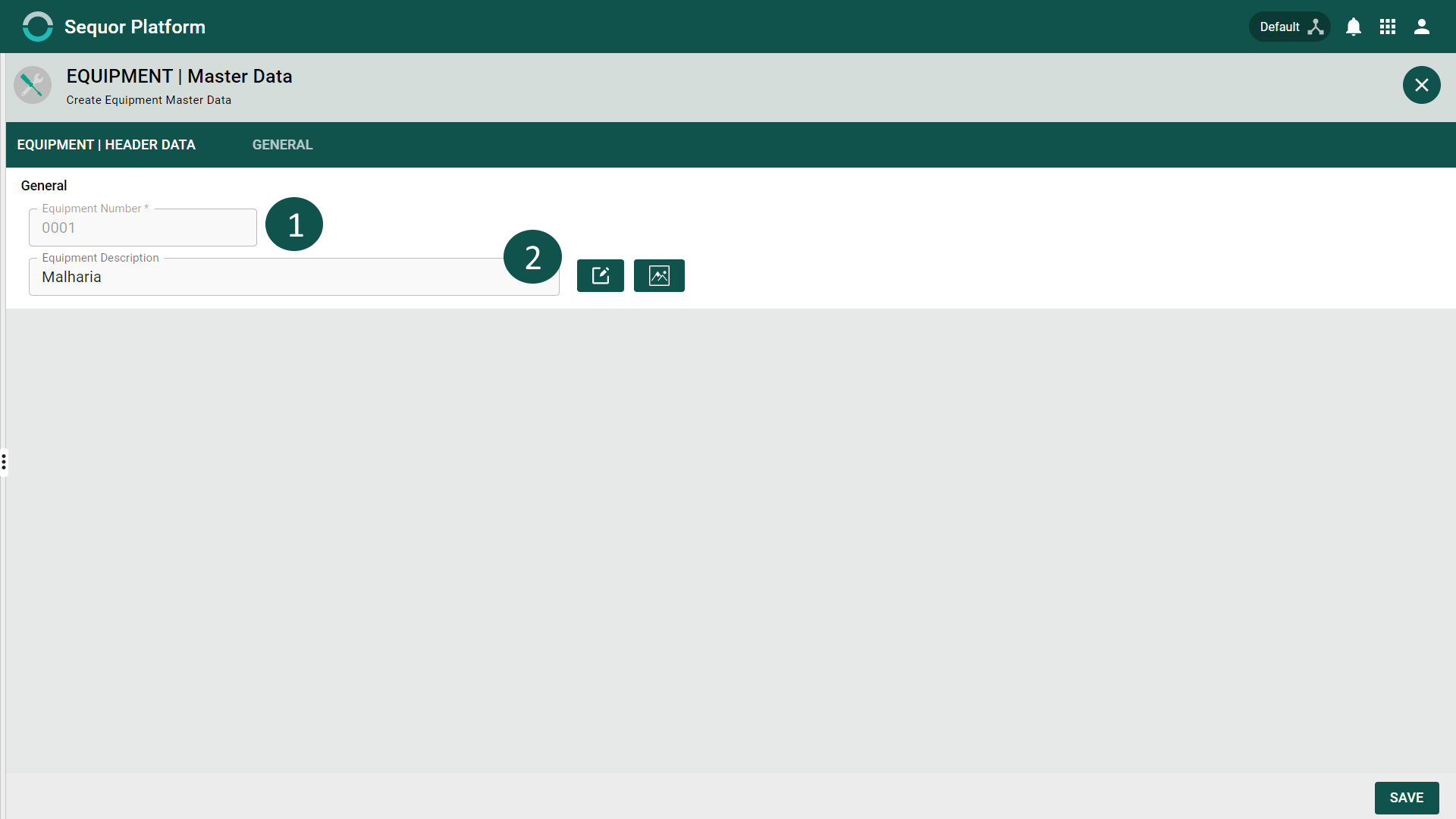
- 1 - Equipment Number *,
- 2 - Description of the Equipment,
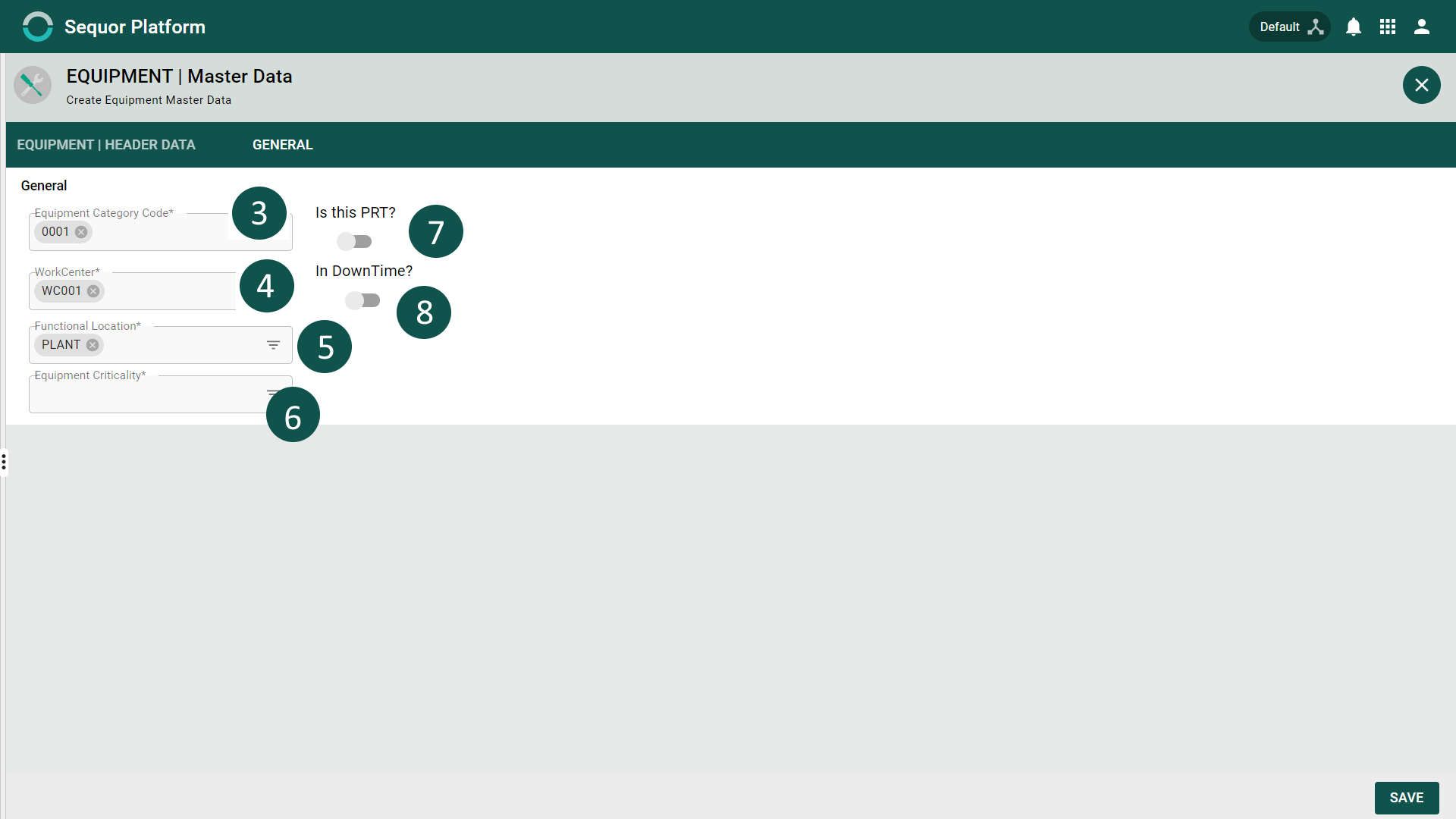
- 3 - Equipment Category Code*,
- 4 – Through the switch-type button, it is possible to define here whether the equipment is or is not a PRT (Tool and Productive Resource).
note
Items with * are required.
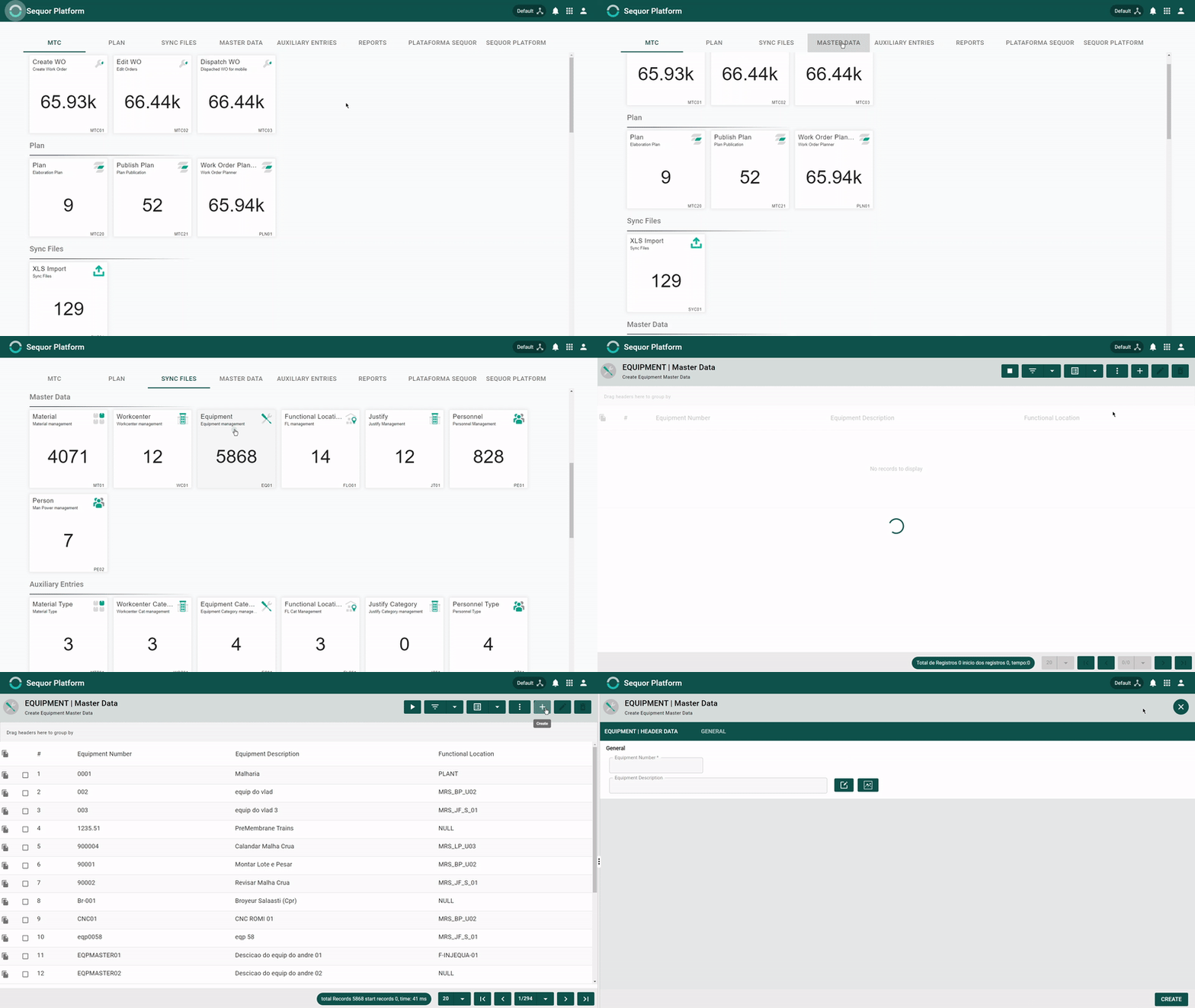
How to edit an equipment entry: After accessing the Sequor Equipment Management app, the user will enter the Grid / List mode, which lists all equipment records, giving the user the possibility to create a new entry or edit an existing one.
To Edit the entry:
- 1 - select the desired entry by clicking on the respective check box
 ,
, - 2 - click on the
 button and edit the possible fields: Equipment Description, Equipment Category Code *. It is possible to redefine here whether or not the equipment is a PRT (Tool and Productive Resource).
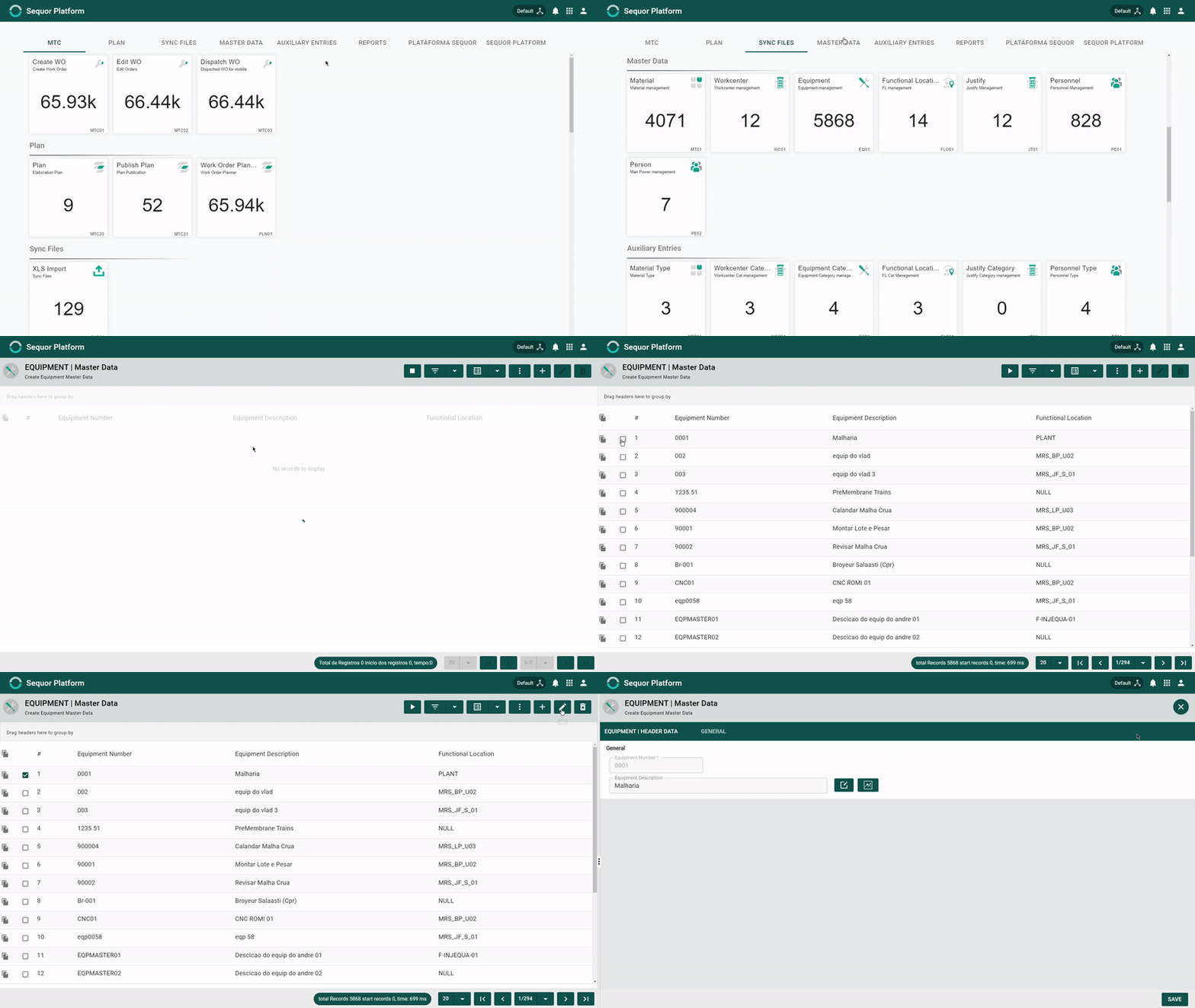
Equipment entry structure
General Guide
In the general Guide the user will find general information about the Equipment entry.
| Nr. | Field | Description | Example |
| Equipment Number | insert material number | LASER001 | |
|---|---|---|---|
| Equipment description | insert Equipment Description | cnc machine | |
| Equipment Category Code | Equipment Category Code | CAT | |
| Workcenter | Resource or Productive Tool | Canoas | |
| Functional Location | Porto Alegre | ||
| Equipment Critically | A | ||
| Is this PRT | Resource or Productive Tool | On / Off | |
| In DownTime | On / Off |