Knowing the platform
The Sequor Platform is made up modules and Sequor Apps.
Note
Sequor MTC Apps are the name gived to all program inside Sequor Platform.
These apps could be customized for the client in same
aspects as names and fields descriptions, colors and acess.
But what's a Sequor MTC app ?
It's an aplication that
designed to execute a specific process or task, cold works alone or spending in another apps information.
Note
Our security protocols travel using Https (Hyper Text Transfer Protocol Secure), generating an additional layer of security that uses the SSL / TLS protocol and allows data transmission over an encrypted connection using digital certificates.
How to conect in the platform ?
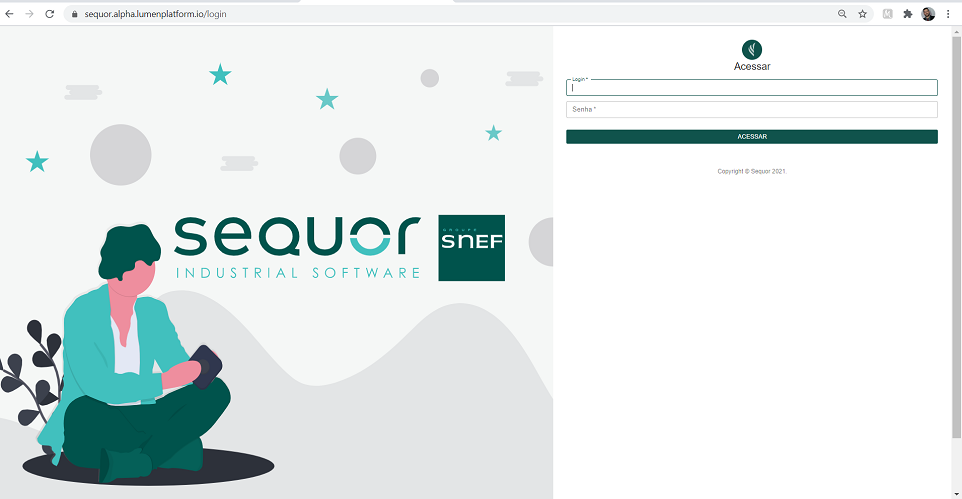
The address for accessing the platform varies from customer to customer and must be requested from the person in charge of the customer's internal IT team.
If you are using the Sequor Comercial demonstration platform, you can access here.
Steps to access your aplication on web:
- Open the web browser (Google Chrome is recommended)
- Enter in your platform
- Insert login and password, if you are using the Sequor Comercial demonstration platform, use:
- Login: inovacao@email.com
- password: 123456
- The language of the platform is configurable in user configurations (only for Franch, English and Portuguese)
Note
Our Platform is based on SPA (Single Page Application) technology and therefore does NOT use the BACKWARD and FORWARD navigation buttons of the Internet Browser (browser). For correct navigation on our platform, use the tools as described in this manual.
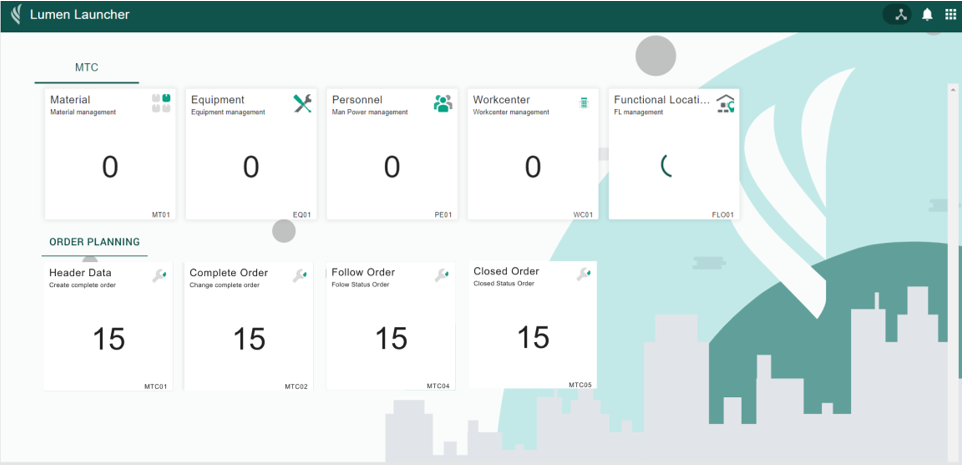
What is the platform apps structure ?
The Sequor MTC app's are separated by contexts.
Masterdata is the apps context responsible for all entries that provide to data to orders transactions.
- Functional Location
- Workcenter
- Material
- Equipment
- Personnel
Planning Order is the apps context responsible for all orders transactions.
- Create Order
- Change Order
- Dispatch Order
Reports is the apps context responsible for all KPI's.
- Material history
- Personnel history
- Order history
- Operations history